
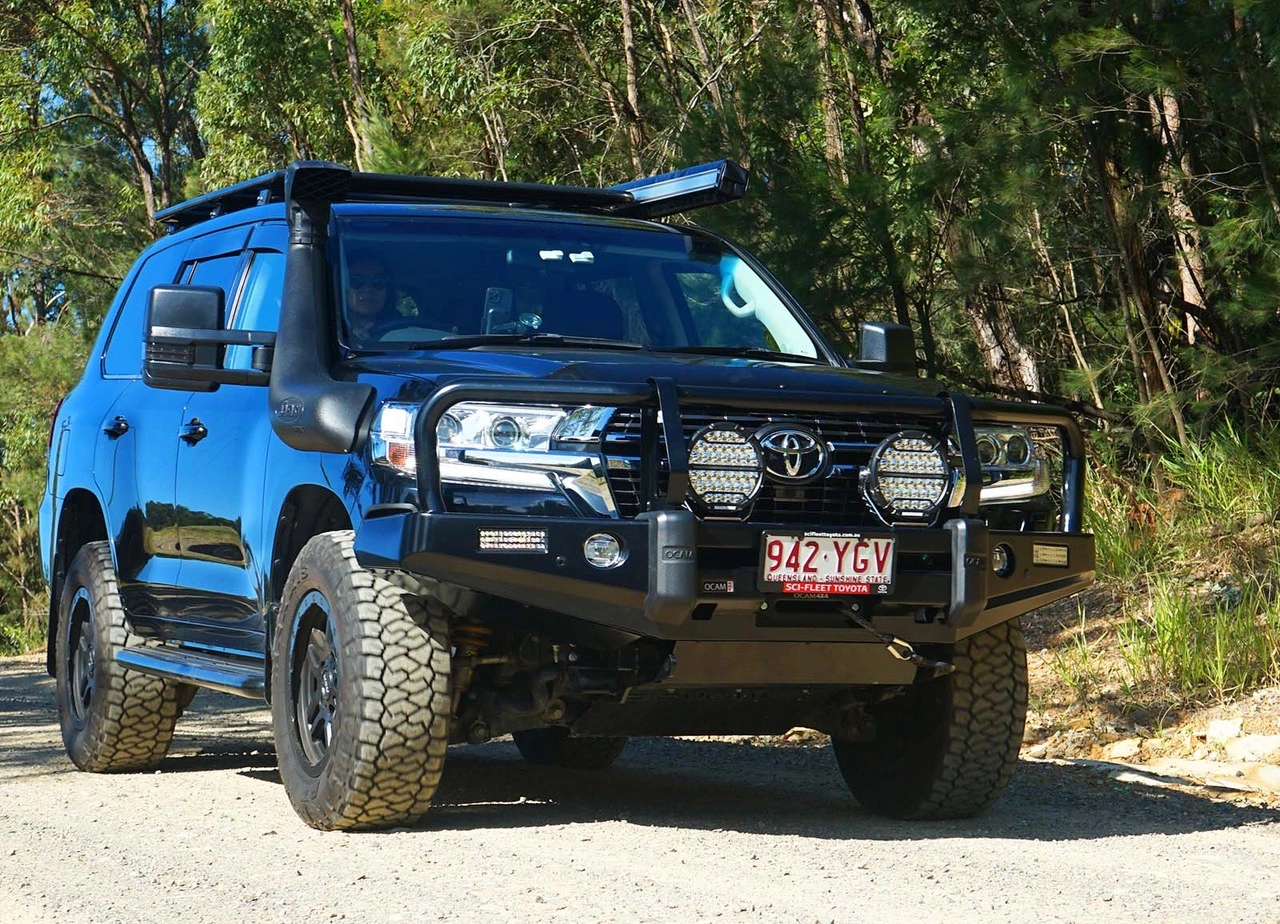
Explore our comprehensive step-by-step installation guide for your OCAM Universal Bull Bar. Includes torque settings, wiring diagrams, and safety warnings for a secure fit on your 4x4.
Important Warnings:
Before beginning installation, please read the following safety warnings carefully.
- Anchorages: Do not attach the Vehicle Frontal Protection System (VFPS) to the vehicle using anchorages not intended for this purpose (e.g., engine mounting bolts).
- Compatibility: Do not use this product for any vehicle, make, or model other than those specified by the manufacturer.
- Modifications: Do not modify the structure of the VFPS in any way. Do not remove the plaque or label from the VFPS.
- Driver Aids: During installation, some driver aids (sensors/cameras) may be relocated. Some of these may need to be re-calibrated by the dealer after fitment. While this product is produced to provide continued functionality of driver aids, road conditions and other accessories may affect functionality. The driver remains responsible for the vehicle at all times.
General Information & Product Care
- Safety: Always wear safety glasses and hearing protection.
- Inspection: Check that all components listed are present and strictly read all instructions.
- Verification: It is the installer's responsibility to confirm the correct operation and clearance of all components.
- Drilling: All drilled holes must have burrs and swarf removed and be coated with suitable rust-preventative paint.
- Maintenance: Wash and dry the product regularly using a quality car wash to maintain appearance. Periodically check the product for tightness.
Tools Required
- Metric socket and spanners
- Phillips and flat head screwdrivers
- Torx drivers
- Torque wrench
- Marker
- Masking tape
- Air hacksaw or Multi-Tool
- Soldering iron
- Electrical tape
Torque Settings
Ensure all hardware is fastened to the torque specifications detailed below.
|
|
|
|
|
|
|
|
|
|
|
|
|
|
|
|
|
|
|
|
|
|
|
|
Installation Instructions:
1. Remove Upper Radiator Covers Remove the clips and screws holding the upper radiator cover(s) in place. Remove the upper radiator cover(s).
.png)
2. Disconnect Wiring Unplug the wiring connectors for the forward camera and radar as required.
.png)
3. Remove Grille Inspect the grille for screws or clips holding it in place. Once fixings are removed, most grilles will release by firmly pulling the grille forward. Note: The grille may need to be removed simultaneously with the front bumper cover.
.png)
4. Wheel Arch Liners Remove the clips and screws from the forward section of the wheel arch liners.
.png)
5. Remove Lower Bumper Fixings Remove the screws, clips, or bolts holding the lower bumper cover section. Remove the front bash plate/cover plate.
.png)
6. Disconnect Bumper Accessories Unplug connectors and washer hoses connected to the bumper cover (e.g., Fog lights, parking sensors, headlight washers). Main harness connectors are usually found secured to the body below the left or right headlight assembly.
.png)
7. Remove Upper Bumper Fixings Remove the clips or screws holding the upper section of the bumper cover to the vehicle.
.png)
8. Release Quarter Panels Check for any hidden screws, clips, or bolts holding the bumper cover to the vehicle. Pull the bumper cover away from the vehicle at the wheel arches to release it from the quarter panel clips.
.png)
9. Remove Bumper Cover Pull the bumper cover away from the vehicle, being careful to check for any missed fixings or wiring connections. Set the cover on a stand, foam, or blanket to prevent damage.
.png)
10. Remove Parking Sensors Remove parking sensors and the wiring harness from the bumper cover if applicable. Note: Mark the position and orientation of parking sensors as they may not function correctly if installed in different positions.
.png)
11. Remove Radar/Camera Remove the radar or camera from the grille/bumper cover if applicable. Note their orientation as they must be installed correctly to avoid system faults.
.png)
12. Identify Lighting Signals Find the lighting signals for parkers, indicators, fog lights, and daytime running lights (DRL) as applicable.
- Parker/DRL/Indicator: Often found in the headlight assembly harness.
- Fog Lights: Often found in the bumper cover harness.
- Use a test light or multimeter to identify signals. Splice bull bar light harnesses to factory lighting signals.
.png)
13. Install Resistors (If Required) Some vehicles may require resistors to prevent indicators from hyper-flashing. Wire these with one end spliced into the indicator supply and the other spliced into the indicator ground. Warning: Resistors can get hot; secure them away from parts that may melt or catch fire.
.png)
14. Install Camera/Radar to Bull Bar Install the camera and radar onto the new bull bar as applicable.
.png)
15. Install Parking Sensors to Bull Bar Install parking sensors using the supplied parking sensor mounts. If not supplied, cut the factory sensor mounts and glue them to the inside of the bull bar to mount the sensors. Secure harnesses inside the bull bar.
.png)
16. Bumper Cut (If Required) If a bumper cut is required, mask off the area to be cut and apply the cutting template. Cut the bumper cover and use a deburring tool to clean up cuts. Apply inch weld (pinch weld) to visible sections of the cut.
.png)
17. Remove Crash Bar Remove the factory front crash bar.
.png)
18. Install Chassis Support Install the chassis support brackets, ensuring bolts are left loose for adjustment.
.png)
19. Install Winch Cradle Install the winch cradle, ensuring bolts are left loose. Measure the winch cradle position relative to fixed points on the vehicle to confirm correct alignment. Once aligned, tighten all chassis support bracket and winch cradle bolts.
.png)
20. Reinstall Grille and Bumper Reinstall the bumper cover and grille. Note: If installing a winch, do so now. Further trimming of the bumper cover or grille may be required.
.png)
21. Mount the Bull Bar Install the bull bar to the winch cradle and adjust the position to ensure the bull bar leaves 15-20mm clearance from all vehicle panels.
.png)
22. Tighten Bolts Once the bar is aligned correctly, tighten the mounting bolts.
.png)
23. Connect Electronics Connect electrical connectors, parking sensors, lights, radar, cameras, and washer hoses. Ensure all harnesses are secured but not tight, as the bull bar will move separately from the vehicle.
.png)
24. Bash Plates and Liners Install the supplied bash plates. Use the skid plates as a guide to trim the wheel arch liners. Cut to suit using a multitool or snips.
.png)
25. Final Assembly Install the license plate swing bracket and license plate. Reinstall the upper radiator cover and bash plate/front cover. Test all lights and sensors to ensure they are functioning correctly.
.png)
Installation Complete! Enjoy protection when driving with your new OCAM bull bar.
Contact Support OCAM 4x4 Accessories 31 Shirley Way, Epping, VIC 3076 Telephone: (03) 9357-0306 Email: hello@ocam.com.au
Disclaimer: These instructions are accurate as at the revision date and do not take into account any changes made by the vehicle manufacturer to vehicle design after the revision date, or other accessories that are or have been fitted to the vehicle. Images used in this guide are for demonstration purposes only.



Leave a Comment